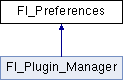
Fl_Preferences provides methods to store user settings between application starts. More...
#include <Fl_Preferences.H>
Classes | |
| struct | Entry |
| class | Name |
| 'Name' provides a simple method to create numerical or more complex procedural names for entries and groups on the fly. More... | |
| class | Node |
| class | RootNode |
Public Types | |
| typedef void * | ID |
| Every Fl_Preferences-Group has a uniqe ID. More... | |
| enum | Root { SYSTEM = 0, USER, ROOT_MASK = 0xFF, CORE = 0x100, CORE_SYSTEM = CORE|SYSTEM, CORE_USER = CORE|USER } |
| Define the scope of the preferences. More... | |
Public Member Functions | |
| char | clear () |
| Delete all groups and all entries. | |
| char | deleteAllEntries () |
| Delete all entries. | |
| char | deleteAllGroups () |
| Delete all groups. | |
| char | deleteEntry (const char *entry) |
| Deletes a single name/value pair. More... | |
| char | deleteGroup (const char *group) |
| Deletes a group. More... | |
| int | entries () |
| Returns the number of entries (name/value pairs) in a group. More... | |
| const char * | entry (int index) |
| Returns the name of an entry. More... | |
| char | entryExists (const char *key) |
| Returns non-zero if an entry with this name exists. More... | |
| Fl_Preferences (Root root, const char *vendor, const char *application) | |
| The constructor creates a group that manages name/value pairs and child groups. More... | |
| Fl_Preferences (const char *path, const char *vendor, const char *application) | |
| Use this constructor to create or read a preferences file at an arbitrary position in the file system. More... | |
| Fl_Preferences (Fl_Preferences &parent, const char *group) | |
| Generate or read a new group of entries within another group. More... | |
| Fl_Preferences (Fl_Preferences *parent, const char *group) | |
| Create or access a group of preferences using a name. More... | |
| Fl_Preferences (Fl_Preferences &parent, int groupIndex) | |
| Open a child group using a given index. More... | |
| Fl_Preferences (Fl_Preferences *parent, int groupIndex) | |
| Fl_Preferences (const Fl_Preferences &) | |
| Create another reference to a Preferences group. | |
| Fl_Preferences (ID id) | |
| Create a new dataset access point using a dataset ID. More... | |
| void | flush () |
| Writes all preferences to disk. More... | |
| char | get (const char *entry, int &value, int defaultValue) |
| Reads an entry from the group. More... | |
| char | get (const char *entry, float &value, float defaultValue) |
| Reads an entry from the group. More... | |
| char | get (const char *entry, double &value, double defaultValue) |
| Reads an entry from the group. More... | |
| char | get (const char *entry, char *&value, const char *defaultValue) |
| Reads an entry from the group. More... | |
| char | get (const char *entry, char *value, const char *defaultValue, int maxSize) |
| Reads an entry from the group. More... | |
| char | get (const char *entry, void *&value, const void *defaultValue, int defaultSize) |
| Reads an entry from the group. More... | |
| char | get (const char *entry, void *value, const void *defaultValue, int defaultSize, int maxSize) |
| Reads an entry from the group. More... | |
| char | getUserdataPath (char *path, int pathlen) |
| Creates a path that is related to the preferences file and that is usable for additional application data. More... | |
| const char * | group (int num_group) |
Returns the name of the Nth (num_group) group. More... | |
| char | groupExists (const char *key) |
| Returns non-zero if a group with this name exists. More... | |
| int | groups () |
| Returns the number of groups that are contained within a group. More... | |
| ID | id () |
| Return an ID that can later be reused to open more references to this dataset. | |
| const char * | name () |
| Return the name of this entry. | |
| const char * | path () |
| Return the full path to this entry. | |
| char | set (const char *entry, int value) |
| Sets an entry (name/value pair). More... | |
| char | set (const char *entry, float value) |
| Sets an entry (name/value pair). More... | |
| char | set (const char *entry, float value, int precision) |
| Sets an entry (name/value pair). More... | |
| char | set (const char *entry, double value) |
| Sets an entry (name/value pair). More... | |
| char | set (const char *entry, double value, int precision) |
| Sets an entry (name/value pair). More... | |
| char | set (const char *entry, const char *value) |
| Sets an entry (name/value pair). More... | |
| char | set (const char *entry, const void *value, int size) |
| Sets an entry (name/value pair). More... | |
| int | size (const char *entry) |
| Returns the size of the value part of an entry. More... | |
| virtual | ~Fl_Preferences () |
| The destructor removes allocated resources. More... | |
Static Public Member Functions | |
| static void | file_access (unsigned int flags) |
| Tell the FLTK preferences system which files in the file system it may read, create, or write. More... | |
| static unsigned int | file_access () |
| Return the current file access permissions for the FLTK preferences system. More... | |
| static const char * | newUUID () |
| Returns a UUID as generated by the system. More... | |
| static char | remove (ID id_) |
| Remove the group with this ID from a database. | |
Static Public Attributes | |
| static const unsigned int | ALL = ALL_READ_OK | ALL_WRITE_OK |
| set this to give FLTK and applications permission to read, write, and create preference files | |
| static const unsigned int | ALL_READ_OK = USER_READ_OK | SYSTEM_READ_OK | CORE_READ_OK |
| set this to allow FLTK and applications to read preference files | |
| static const unsigned int | ALL_WRITE_OK = USER_WRITE_OK | SYSTEM_WRITE_OK | CORE_WRITE_OK |
| set this to allow FLTK and applications to create and write preference files | |
| static const unsigned int | APP_OK = SYSTEM_OK | USER_OK |
| set this if it is ok for applications to read, create, and write any kind of preference files | |
| static const unsigned int | CORE_OK = CORE_READ_OK | CORE_WRITE_OK |
| set this if it is ok for FLTK to read, create, or write preference files | |
| static const unsigned int | CORE_READ_OK = 0x0010 |
| Set this if it is ok for FLTK to read preference files. More... | |
| static const unsigned int | CORE_WRITE_OK = 0x0020 |
| Set this if it is ok for FLTK to create or write preference files. More... | |
| static const unsigned int | NONE = 0x0000 |
| Set this, if no call to Fl_Preferences shall access the file sytem. More... | |
| static const unsigned int | SYSTEM_OK = SYSTEM_READ_OK | SYSTEM_WRITE_OK |
| set this if it is ok for applications to read, create, and write system wide preference files | |
| static const unsigned int | SYSTEM_READ_OK = 0x0004 |
| set this if it is ok for applications to read system wide preference files | |
| static const unsigned int | SYSTEM_WRITE_OK = 0x0008 |
| set this if it is ok for applications to create and write system wide preference files | |
| static const unsigned int | USER_OK = USER_READ_OK | USER_WRITE_OK |
| set this if it is ok for applications to read, create, and write user preference files | |
| static const unsigned int | USER_READ_OK = 0x0001 |
| set this if it is ok for applications to read user preference files | |
| static const unsigned int | USER_WRITE_OK = 0x0002 |
| set this if it is ok for applications to create and write user preference files | |
Protected Attributes | |
| Node * | node |
| RootNode * | rootNode |
Friends | |
| class | Node |
| class | RootNode |
Detailed Description
Fl_Preferences provides methods to store user settings between application starts.
It is similar to the Registry on Windows and Preferences on MacOS, and provides a simple configuration mechanism for UNIX.
Fl_Preferences uses a hierarchy to store data. It bundles similar data into groups and manages entries in these groups as name/value pairs.
Preferences are stored in text files that can be edited manually. The file format is easy to read and relatively forgiving. Preferences files are the same on all platforms. User comments in preference files are preserved. Filenames are unique for each application by using a vendor/application naming scheme. The user must provide default values for all entries to ensure proper operation should preferences be corrupted or not yet exist.
Entries can be of any length. However, the size of each preferences file should be kept small for performance reasons. One application can have multiple preferences files. Extensive binary data however should be stored in separate files: see Fl_Preferences::getUserdataPath() .
- Note
- Starting with FLTK 1.3, preference databases are expected to be in UTF-8 encoding. Previous databases were stored in the current character set or code page which renders them incompatible for text entries using international characters.
- Starting with FLTK 1.4, searching a valid path to store the preferences files has changed slightly. Please see Fl_Preferences::Fl_Preferences(Root, const char*, const char*) for details.
Member Typedef Documentation
◆ ID
| typedef void* Fl_Preferences::ID |
Every Fl_Preferences-Group has a uniqe ID.
ID's can be retrieved from an Fl_Preferences-Group and can then be used to create more Fl_Preference references to the same data set, as long as the database remains open.
Member Enumeration Documentation
◆ Root
| enum Fl_Preferences::Root |
Constructor & Destructor Documentation
◆ Fl_Preferences() [1/7]
| Fl_Preferences::Fl_Preferences | ( | Root | root, |
| const char * | vendor, | ||
| const char * | application | ||
| ) |
The constructor creates a group that manages name/value pairs and child groups.
Groups are ready for reading and writing at any time. The root argument is either Fl_Preferences::USER or Fl_Preferences::SYSTEM.
This constructor creates the base instance for all following entries and reads existing databases into memory. The vendor argument is a unique text string identifying the development team or vendor of an application. A domain name or an EMail address are great unique names, e.g. "research.matthiasm.com" or "fluid.fltk.org". The application argument can be the working title or final name of your application. Both vendor and application must be valid UNIX path segments and may contain forward slashes to create deeper file structures.
A set of Preferences marked "run-time" exists exactly once per application and only as long as the application runs. It can be used as a database for volatile information. FLTK uses it to register plugins at run-time.
- Note
- On Windows, the directory is constructed by querying the Common AppData or AppData key of the
Software\Microsoft\Windows\CurrentVersion\Explorer\Shell Foldersregistry entry. The filename and path is then constructed as$(query)/$(vendor)/$(application).prefs. If the query call fails, data will be stored in RAM only and be lost when the app exits.
- In FLTK versions before 1.4.0, if querying the registry failed, preferences would be written to
C:\FLTK\$(vendor)\$(application).prefs.
- Note
- On Linux, the
USERdirectory is constructed by reading$HOME. If$HOMEis not set or not pointing to an existing directory, we are checking the path member of the passwd struct returned bygetpwuid(getuid()). If all attempts fail, data will be stored in RAM only and be lost when the app exits. The filename and path is then constructed as$(directory)/.fltk/$(vendor)/$(application).prefs. TheSYSTEMdirectory is hardcoded as/etc/fltk/$(vendor)/$(application).prefs.
- In FLTK versions before 1.4.0, if
$HOMEwas not set, theUSERpath would be empty, - generating
$(vendor)/$(application).prefs, which was used relative to the current working directory.
- Note
- On macOS, the
USERdirectory is constructed by reading$HOME. If$HOMEis not set or not pointing to an existing directory, we check the path returned byNSHomeDirectory(), and finally checking the path member of the passwd struct returned bygetpwuid(getuid()). If all attempts fail, data will be stored in RAM only and be lost when the app exits. The filename and path is then constructed as$(directory)/Library/Preferences/$(vendor)/$(application).prefs. TheSYSTEMdirectory is hardcoded as/Library/Preferences/$(vendor)/$(application).prefs.
- In FLTK versions before 1.4.0, if
$HOMEwas not set, theUSERpath would beNULL, - generating
<null>/Library/Preferences/$(vendor)/$(application).prefs, which would silently fail to create a preferences file.
- Parameters
-
[in] root can be USERorSYSTEMfor user specific or system wide preferences[in] vendor unique text describing the company or author of this file, must be a valid filepath segment [in] application unique text describing the application, must be a valid filepath segment
- Todo:
- (Matt) Before the release of 1.4.0, I want to make a further attempt to write a preferences file smarter. I plan to use a subgroup of the "runtime" preferences to store data and stay accessible until the application exits. Data would be stored under
./$(vendor)/$(application).prefsin RAM, but not on disk.
- Todo:
- (Matt) I want a way to access the type of the root preferences (SYSTEM, USER, MEMORY), and the state of the file access (OK, FILE_SYSTEM_FAIL, PERMISSION_FAIL, etc.), and probably the dirty() flag as well.
- Todo:
- (Matt) Also, I need to explain runtime preferences.
- Todo:
- (Matt) Lastly, I think I have to put short sample code in the Doxygen docs. The test app ist just not enough.
◆ Fl_Preferences() [2/7]
| Fl_Preferences::Fl_Preferences | ( | const char * | path, |
| const char * | vendor, | ||
| const char * | application | ||
| ) |
Use this constructor to create or read a preferences file at an arbitrary position in the file system.
The file name is generated in the form /.prefs. If application is NULL, path is taken literally as the file path and name.
- Parameters
-
[in] path path to the directory that contains the preferences file [in] vendor unique text describing the company or author of this file, must be a valid filepath segment [in] application unique text describing the application, must be a valid filepath segment
◆ Fl_Preferences() [3/7]
| Fl_Preferences::Fl_Preferences | ( | Fl_Preferences & | parent, |
| const char * | group | ||
| ) |
Generate or read a new group of entries within another group.
Use the group argument to name the group that you would like to access. Group can also contain a path to a group further down the hierarchy by separating group names with a forward slash '/'.
- Parameters
-
[in] parent reference object for the new group [in] group name of the group to access (may contain '/'s)
◆ Fl_Preferences() [4/7]
| Fl_Preferences::Fl_Preferences | ( | Fl_Preferences * | parent, |
| const char * | group | ||
| ) |
Create or access a group of preferences using a name.
- Parameters
-
[in] parent the parameter parent is a pointer to the parent group. Parentmay beNULL. It then refers to an application internal database which exists only once, and remains in RAM only until the application quits. This database is used to manage plugins and other data indexes by strings.[in] group a group name that is used as a key into the database
◆ Fl_Preferences() [5/7]
| Fl_Preferences::Fl_Preferences | ( | Fl_Preferences & | parent, |
| int | groupIndex | ||
| ) |
Open a child group using a given index.
Use the groupIndex argument to find the group that you would like to access. If the given index is invalid (negative or too high), a new group is created with a UUID as a name.
The index needs to be fixed. It is currently backward. Index 0 points to the last member in the 'list' of preferences.
- Parameters
-
[in] parent reference object for the new group [in] groupIndex zero based index into child groups
◆ Fl_Preferences() [6/7]
| Fl_Preferences::Fl_Preferences | ( | Fl_Preferences * | parent, |
| int | groupIndex | ||
| ) |
◆ Fl_Preferences() [7/7]
| Fl_Preferences::Fl_Preferences | ( | Fl_Preferences::ID | id | ) |
Create a new dataset access point using a dataset ID.
ID's are a great way to remember shortcuts to database entries that are deeply nested in a preferences database, as long as the database root is not deleted. An ID can be retrieved from any Fl_Preferences dataset, and can then be used to create multiple new references to the same dataset.
ID's can be very helpful when put into the user_data() field of widget callbacks.
◆ ~Fl_Preferences()
|
virtual |
The destructor removes allocated resources.
When used on the base preferences group, the destructor flushes all changes to the preferences file and deletes all internal databases.
The destructor does not remove any data from the database. It merely deletes your reference to the database.
Member Function Documentation
◆ deleteEntry()
| char Fl_Preferences::deleteEntry | ( | const char * | key | ) |
Deletes a single name/value pair.
This function removes the entry key from the database.
- Parameters
-
[in] key name of entry to delete
- Returns
- 0 if deleting the entry failed
◆ deleteGroup()
| char Fl_Preferences::deleteGroup | ( | const char * | group | ) |
Deletes a group.
Removes a group and all keys and groups within that group from the database.
- Parameters
-
[in] group name of the group to delete
- Returns
- 0 if call failed
◆ entries()
| int Fl_Preferences::entries | ( | ) |
Returns the number of entries (name/value pairs) in a group.
- Returns
- number of entries
◆ entry()
| const char * Fl_Preferences::entry | ( | int | index | ) |
Returns the name of an entry.
There is no guaranteed order of entry names. The index must be within the range given by entries().
- Parameters
-
[in] index number indexing the requested entry
- Returns
- pointer to value cstring
◆ entryExists()
| char Fl_Preferences::entryExists | ( | const char * | key | ) |
Returns non-zero if an entry with this name exists.
- Parameters
-
[in] key name of entry that is searched for
- Returns
- 0 if entry was not found
◆ file_access() [1/2]
|
static |
Tell the FLTK preferences system which files in the file system it may read, create, or write.
The FLTK core library will try to read or even create or write preference files when calling Fl::option(), Fl_File_Chooser, the printing panel, and possibly some other internal functions. If your application wants to keep FLTK from touching the file system, call this function before making any other FLTK calls:
or
All flags can be combined using an OR operator. If flags are not set, that specific access to the file system will not be allowed. By default, all access is granted. To clear one or more flags from the default setting, use:
If preferences are created using a filename (instead of Fl_Preferences::USER or Fl_Preferences::SYSTEM), file access is handled as if the Fl_Preferences::USER flag was set.
- See also
- Fl_Preferences::NONE and others for a list of flags.
- Fl_Preferences::file_access()
◆ file_access() [2/2]
|
static |
Return the current file access permissions for the FLTK preferences system.
◆ flush()
| void Fl_Preferences::flush | ( | ) |
Writes all preferences to disk.
This function works only with the base preferences group. This function is rarely used as deleting the base preferences flushes automatically.
◆ get() [1/7]
| char Fl_Preferences::get | ( | const char * | key, |
| int & | value, | ||
| int | defaultValue | ||
| ) |
Reads an entry from the group.
A default value must be supplied. The return value indicates if the value was available (non-zero) or the default was used (0).
- Parameters
-
[in] key name of entry [out] value returned from preferences or default value if none was set [in] defaultValue default value to be used if no preference was set
- Returns
- 0 if the default value was used
◆ get() [2/7]
| char Fl_Preferences::get | ( | const char * | key, |
| float & | value, | ||
| float | defaultValue | ||
| ) |
Reads an entry from the group.
A default value must be supplied. The return value indicates if the value was available (non-zero) or the default was used (0).
- Parameters
-
[in] key name of entry [out] value returned from preferences or default value if none was set [in] defaultValue default value to be used if no preference was set
- Returns
- 0 if the default value was used
◆ get() [3/7]
| char Fl_Preferences::get | ( | const char * | key, |
| double & | value, | ||
| double | defaultValue | ||
| ) |
Reads an entry from the group.
A default value must be supplied. The return value indicates if the value was available (non-zero) or the default was used (0).
- Parameters
-
[in] key name of entry [out] value returned from preferences or default value if none was set [in] defaultValue default value to be used if no preference was set
- Returns
- 0 if the default value was used
◆ get() [4/7]
| char Fl_Preferences::get | ( | const char * | key, |
| char *& | text, | ||
| const char * | defaultValue | ||
| ) |
Reads an entry from the group.
A default value must be supplied. The return value indicates if the value was available (non-zero) or the default was used (0). get() allocates memory of sufficient size to hold the value. The buffer must be free'd by the developer using 'free(value)'.
- Parameters
-
[in] key name of entry [out] text returned from preferences or default value if none was set [in] defaultValue default value to be used if no preference was set
- Returns
- 0 if the default value was used
◆ get() [5/7]
| char Fl_Preferences::get | ( | const char * | key, |
| char * | text, | ||
| const char * | defaultValue, | ||
| int | maxSize | ||
| ) |
Reads an entry from the group.
A default value must be supplied. The return value indicates if the value was available (non-zero) or the default was used (0). 'maxSize' is the maximum length of text that will be read. The text buffer must allow for one additional byte for a trailing zero.
- Parameters
-
[in] key name of entry [out] text returned from preferences or default value if none was set [in] defaultValue default value to be used if no preference was set [in] maxSize maximum length of value plus one byte for a trailing zero
- Returns
- 0 if the default value was used
◆ get() [6/7]
| char Fl_Preferences::get | ( | const char * | key, |
| void *& | data, | ||
| const void * | defaultValue, | ||
| int | defaultSize | ||
| ) |
Reads an entry from the group.
A default value must be supplied. The return value indicates if the value was available (non-zero) or the default was used (0). get() allocates memory of sufficient size to hold the value. The buffer must be free'd by the developer using 'free(value)'.
- Parameters
-
[in] key name of entry [out] data returned from preferences or default value if none was set [in] defaultValue default value to be used if no preference was set [in] defaultSize size of default value array
- Returns
- 0 if the default value was used
◆ get() [7/7]
| char Fl_Preferences::get | ( | const char * | key, |
| void * | data, | ||
| const void * | defaultValue, | ||
| int | defaultSize, | ||
| int | maxSize | ||
| ) |
Reads an entry from the group.
A default value must be supplied. The return value indicates if the value was available (non-zero) or the default was used (0). 'maxSize' is the maximum length of text that will be read.
- Parameters
-
[in] key name of entry [out] data value returned from preferences or default value if none was set [in] defaultValue default value to be used if no preference was set [in] defaultSize size of default value array [in] maxSize maximum length of value
- Returns
- 0 if the default value was used
- Todo:
- maxSize should receive the number of bytes that were read.
◆ getUserdataPath()
| char Fl_Preferences::getUserdataPath | ( | char * | path, |
| int | pathlen | ||
| ) |
Creates a path that is related to the preferences file and that is usable for additional application data.
This function creates a directory that is named after the preferences database without the .prefs extension and located in the same directory. It then fills the given buffer with the complete path name.
There is no way to verify that the path name fit into the buffer. If the name is too long, it will be clipped.
This function can be used with direct paths that don't end in .prefs . getUserDataPath() will remove any extension and end the path with a / . If the file name has no extension, getUserDataPath() will append .data/ to the path name.
Example:
creates the preferences database in the directory (User 'matt' on Linux):
..and returns the userdata path:
- Parameters
-
[out] path buffer for user data path [in] pathlen size of path buffer (should be at least FL_PATH_MAX)
- Returns
- 1 if there is no filename (path will be unmodified)
- 1 if pathlen is 0 (path will be unmodified)
- 1 if a path was created successfully, path will contain the path name ending in a '/'
- 0 if path was not created for some reason; path will contain the pathname that could not be created
◆ group()
| const char * Fl_Preferences::group | ( | int | num_group | ) |
Returns the name of the Nth (num_group) group.
There is no guaranteed order of group names. The index must be within the range given by groups().
- Parameters
-
[in] num_group number indexing the requested group
- Returns
- 'C' string pointer to the group name
◆ groupExists()
| char Fl_Preferences::groupExists | ( | const char * | key | ) |
Returns non-zero if a group with this name exists.
Group names are relative to the Preferences node and can contain a path. "." describes the current node, "./" describes the topmost node. By preceding a groupname with a "./", its path becomes relative to the topmost node.
- Parameters
-
[in] key name of group that is searched for
- Returns
- 0 if no group by that name was found
◆ groups()
| int Fl_Preferences::groups | ( | ) |
Returns the number of groups that are contained within a group.
- Returns
- 0 for no groups at all
◆ newUUID()
|
static |
Returns a UUID as generated by the system.
A UUID is a "universally unique identifier" which is commonly used in configuration files to create identities. A UUID in ASCII looks like this: 937C4900-51AA-4C11-8DD3-7AB59944F03E. It has always 36 bytes plus a trailing zero.
- Returns
- a pointer to a static buffer containing the new UUID in ASCII format. The buffer is overwritten during every call to this function!
◆ set() [1/7]
| char Fl_Preferences::set | ( | const char * | key, |
| int | value | ||
| ) |
Sets an entry (name/value pair).
The return value indicates if there was a problem storing the data in memory. However it does not reflect if the value was actually stored in the preferences file.
- Parameters
-
[in] key name of entry [in] value set this entry to value
- Returns
- 0 if setting the value failed
◆ set() [2/7]
| char Fl_Preferences::set | ( | const char * | key, |
| float | value | ||
| ) |
Sets an entry (name/value pair).
The return value indicates if there was a problem storing the data in memory. However it does not reflect if the value was actually stored in the preferences file.
- Parameters
-
[in] key name of entry [in] value set this entry to value
- Returns
- 0 if setting the value failed
◆ set() [3/7]
| char Fl_Preferences::set | ( | const char * | key, |
| float | value, | ||
| int | precision | ||
| ) |
Sets an entry (name/value pair).
The return value indicates if there was a problem storing the data in memory. However it does not reflect if the value was actually stored in the preferences file.
- Parameters
-
[in] key name of entry [in] value set this entry to value[in] precision number of decimal digits to represent value
- Returns
- 0 if setting the value failed
◆ set() [4/7]
| char Fl_Preferences::set | ( | const char * | key, |
| double | value | ||
| ) |
Sets an entry (name/value pair).
The return value indicates if there was a problem storing the data in memory. However it does not reflect if the value was actually stored in the preferences file.
- Parameters
-
[in] key name of entry [in] value set this entry to value
- Returns
- 0 if setting the value failed
◆ set() [5/7]
| char Fl_Preferences::set | ( | const char * | key, |
| double | value, | ||
| int | precision | ||
| ) |
Sets an entry (name/value pair).
The return value indicates if there was a problem storing the data in memory. However it does not reflect if the value was actually stored in the preferences file.
- Parameters
-
[in] key name of entry [in] value set this entry to value[in] precision number of decimal digits to represent value
- Returns
- 0 if setting the value failed
◆ set() [6/7]
| char Fl_Preferences::set | ( | const char * | key, |
| const char * | text | ||
| ) |
Sets an entry (name/value pair).
The return value indicates if there was a problem storing the data in memory. However it does not reflect if the value was actually stored in the preferences file.
- Parameters
-
[in] key name of entry [in] text set this entry to value
- Returns
- 0 if setting the value failed
◆ set() [7/7]
| char Fl_Preferences::set | ( | const char * | key, |
| const void * | data, | ||
| int | dsize | ||
| ) |
Sets an entry (name/value pair).
The return value indicates if there was a problem storing the data in memory. However it does not reflect if the value was actually stored in the preferences file.
- Parameters
-
[in] key name of entry [in] data set this entry to value[in] dsize size of data array
- Returns
- 0 if setting the value failed
◆ size()
| int Fl_Preferences::size | ( | const char * | key | ) |
Returns the size of the value part of an entry.
- Parameters
-
[in] key name of entry
- Returns
- size of value
Member Data Documentation
◆ CORE_READ_OK
|
static |
Set this if it is ok for FLTK to read preference files.
USER_READ_OK and/or SYSTEM_READ_OK must also be set.
◆ CORE_WRITE_OK
|
static |
Set this if it is ok for FLTK to create or write preference files.
USER_WRITE_OK and/or SYSTEM_WRITE_OK must also be set.
◆ NONE
|
static |
Set this, if no call to Fl_Preferences shall access the file sytem.
The documentation for this class was generated from the following files:
- Fl_Preferences.H
- Fl_Preferences.cxx
